
Part 1 of this series covered how to find out which elections you can vote in if you live in South Carolina and Part 2 focused on which districts in Greenville County have County Councillors on the ballot November 3, 2026.
Today I want to talk about your Sample Ballot and how to find out more about who's running to represent you at the state level.
Did you know? You don't have to wait until November 3 to vote!
Early voting for the 2026 midterm elections in South Carolina runs from October 19 through October 31!
Before You Vote, Get a Sample Ballot
I highly recommend downloading and printing a Sample Ballot before you vote. A Sample Ballot will show you all of the races and candidates on the ballot for the current election. The Sample Ballot also lists where you should go to vote.
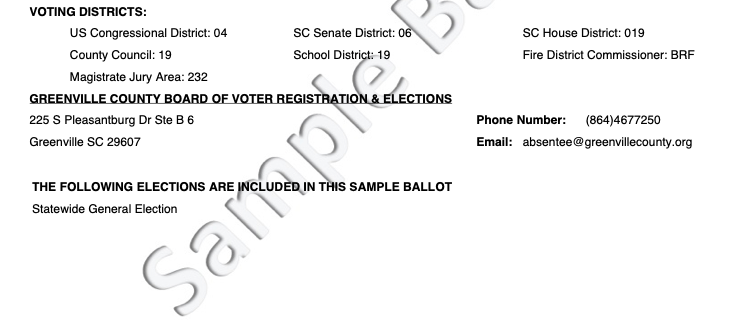
It would be nice if we only had to keep up with one or two voting districts, but if you did your homework from Part 1 and looked up your voter registration, then you already know that you likely live in multiple voting districts.
What You Need to Know About Districts
Notice in the Sample Ballot above that "District 19" shows up three times: SC House District 19, County Council District 19, and School District 19. Even though these districts have the same number, they are three different districts with different boundaries.
Not at all confusing, right?
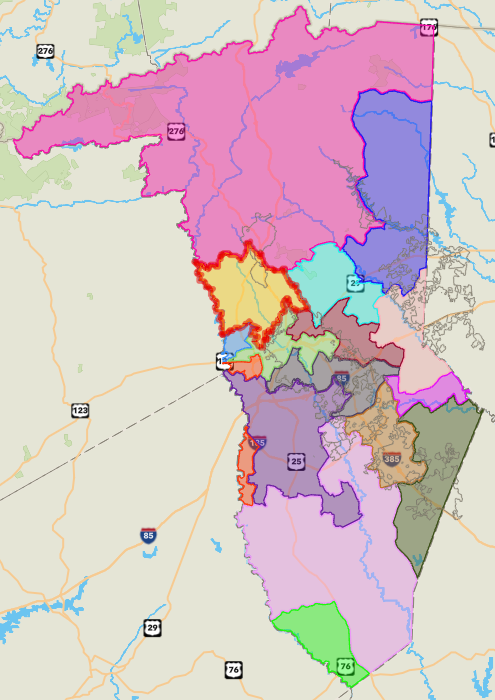
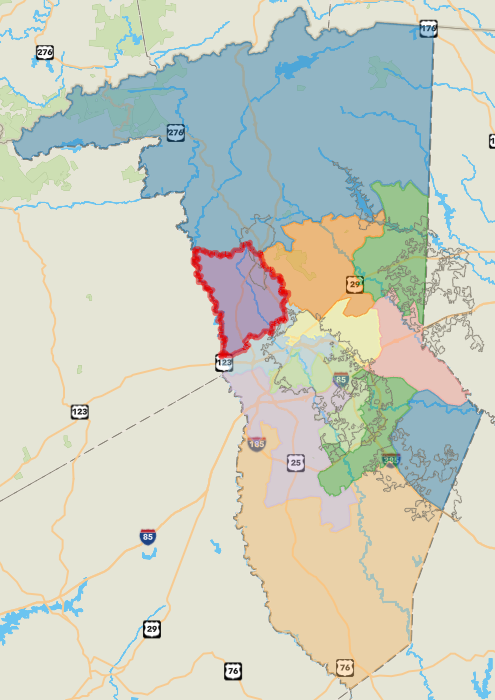
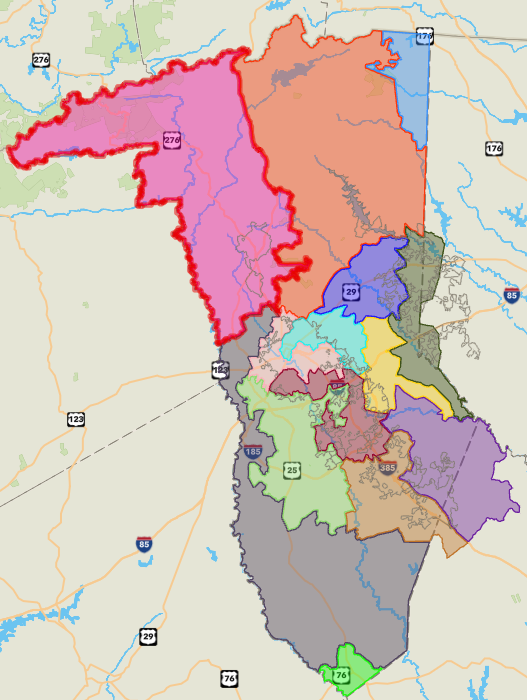
SC Statehouse District 19 (left, yellow with a red outline), Greenville County Council 19 (middle, purple with a red outline), and Greenville School Board District 19 (right, pink with a red outline)
This is part of why searching online for information can be extremely frustrating. Do you know how many times I looked for my SC Statehouse District 19 representative just to find the County Council info instead? Or vice versa?
(The maps above came from Greenville County's online GIS maps. Choose Map Themes to see different kinds of districts.)
Knowing which districts you live in is vital to being informed about who you're voting for. Once you know that, you can search for the names of your current representatives and check out who's running against them.
I highly recommend the Simple Civics: Greenville County podcast for hearing more about SC Statehouse and SC Senate candidates for different districts in Greenville County. They've got brief interviews with most, if not all, of the candidates and links to social media pages and websites. Their candidate lookup tool didn't work for me, but the general podcast search did.
Find Your Representatives' Voting History in the Statehouse
Interviews, websites, and social media only tell you so much. If you want to level up your political research, you should look up your representatives' voting history on bills that you care about on the SC Statehouse website.
- Find your current legislators.
- Find the name and number of a bill you want to learn more about.
This part can take some work, but a simple internet search often turns up the information quickly enough, especially if the bill has been in the news.
If you look up the bill's text, you can also see who sponsored the bill in the first place. - Look up the voting history of the bill.
The first search will show you a list of everything. Use the dropdown boxes in the upper right corner of the screen to change "All Bills" to the specific bill you want to see. - Choose the specific vote you want to see. Most bills go through multiple rounds of voting.
- Use this information to make decisions about who you want to vote for.
Example: H4756
As an example, I chose H4756, the South Carolina Student Physical Privacy Act. This bill became law in May 2026.
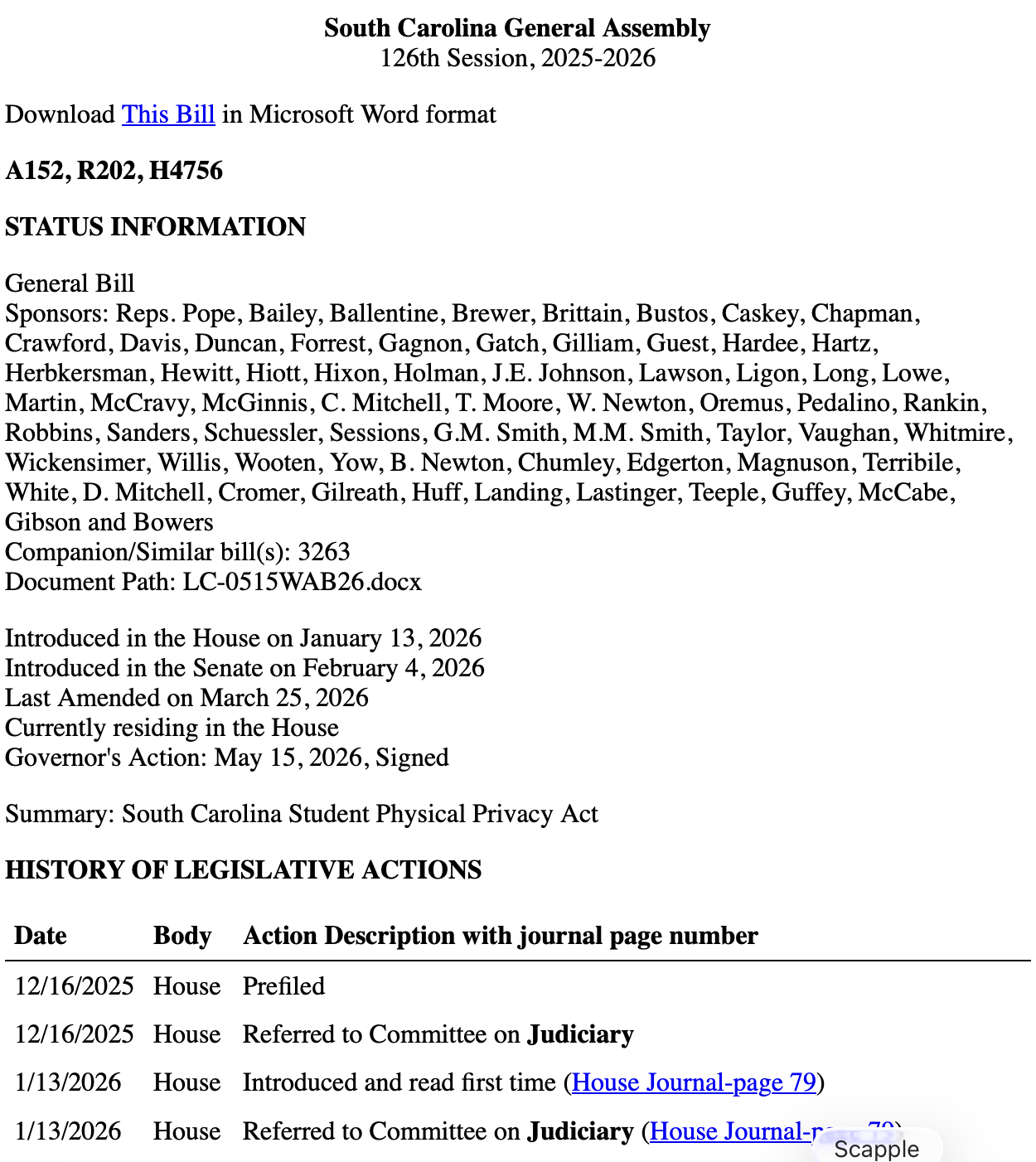
This law limits who can use which bathrooms in public schools and public buildings. I know that anyone who voted yes on a bill restricting which bathrooms transgender and gender non-conforming South Carolinians can use does not share my values. I also contacted my representatives about it when it came up last year, and I want to know what they did with that.
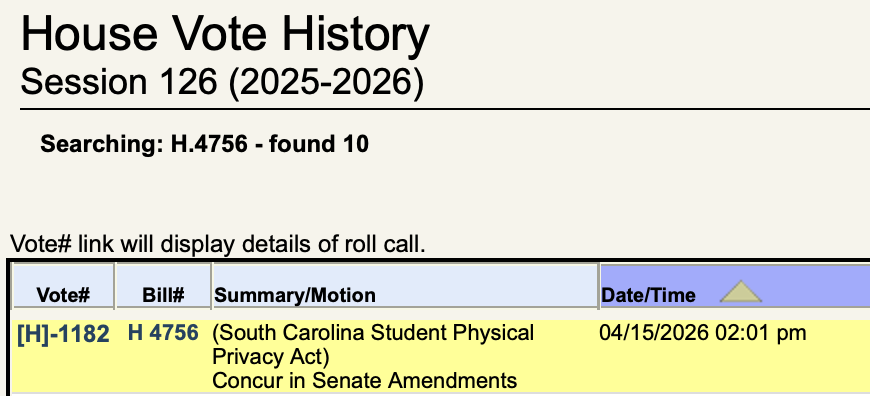
I checked the final vote for the House on April 15, 2026, and it looks like my representative was absent that day. So I checked the previous votes from January, when he was there, and he voted yes.
I generally don't recommend that people vote based on a single piece of legislation, though some people do consider themselves single-issue voters. But for me and the values that I hold, a vote to legislate access to bathrooms in schools and public buildings, and to threaten funding if there are violations, tells me pretty quickly that my representative's voting priorities don't align with mine.
I'll use that information to make a decision about how to vote on November 3.


